

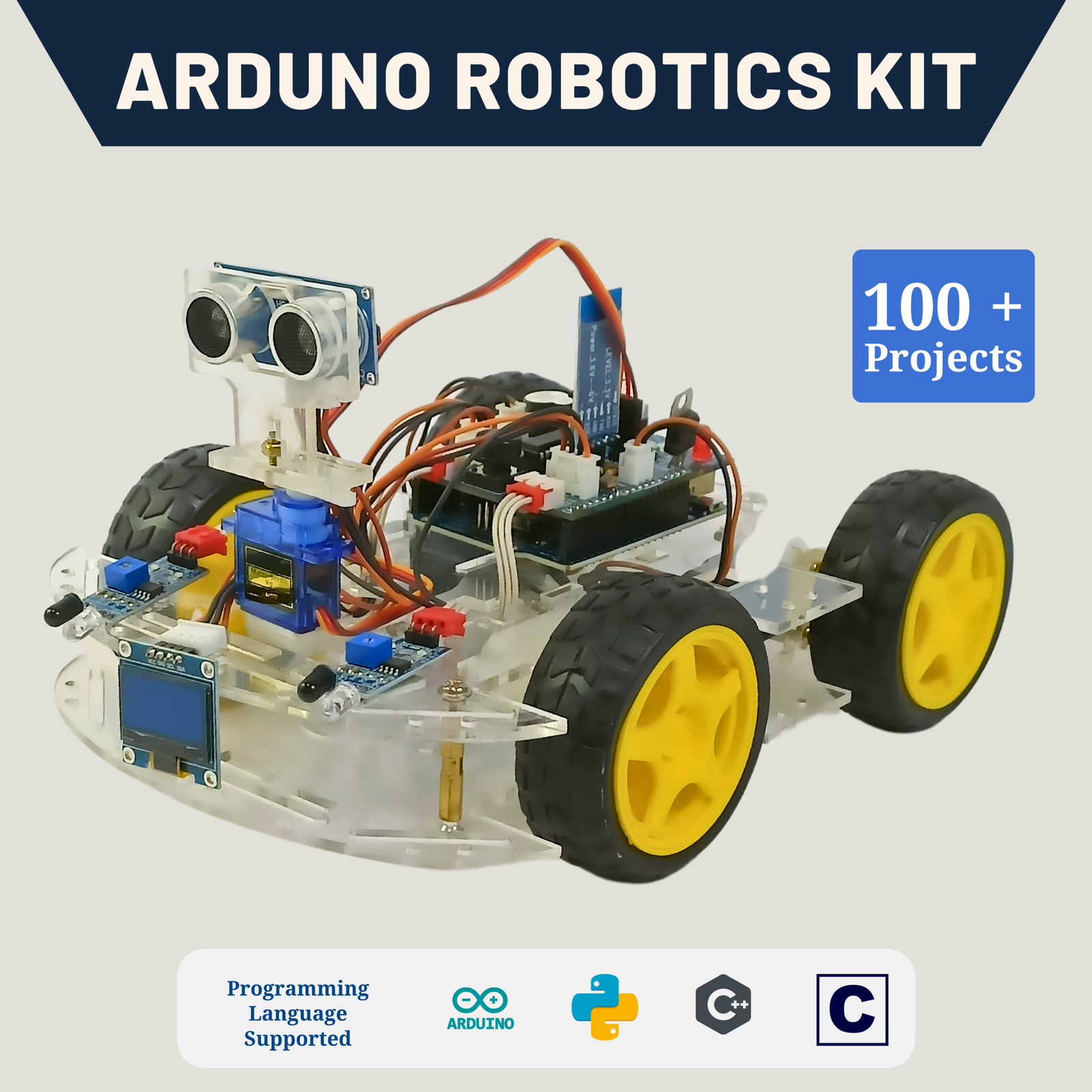
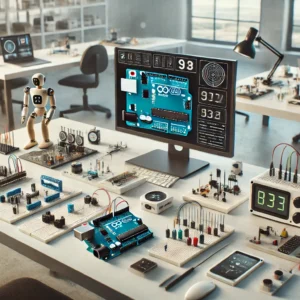
Learn the fundamentals of robotics with our arduino UNO robotics Kit. Get hands-on experience on coding and robotics to build robots like line follower robot, object follower robot, cliff avoidance robot, voice controlled robot, bluetooth controlled robot and many more.
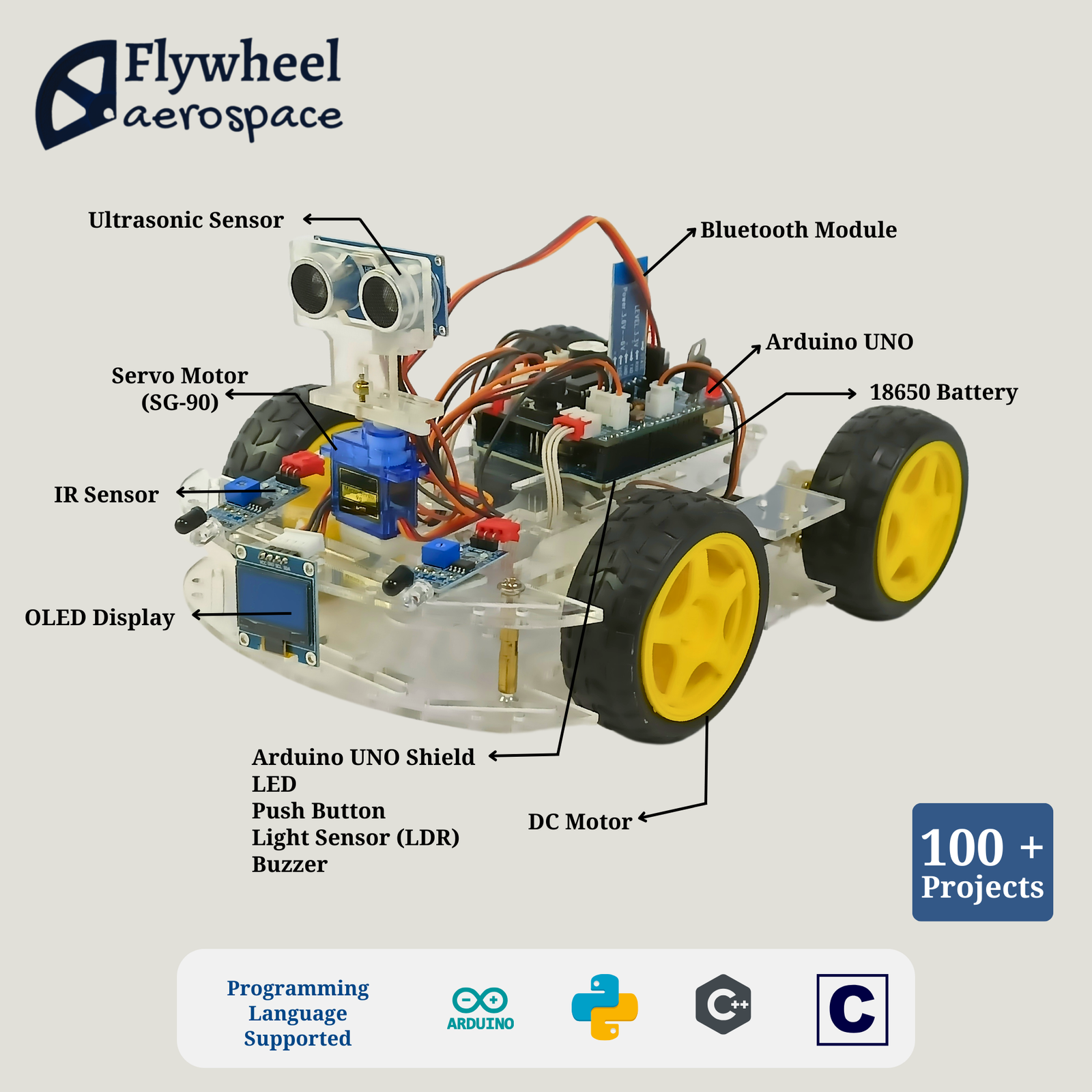
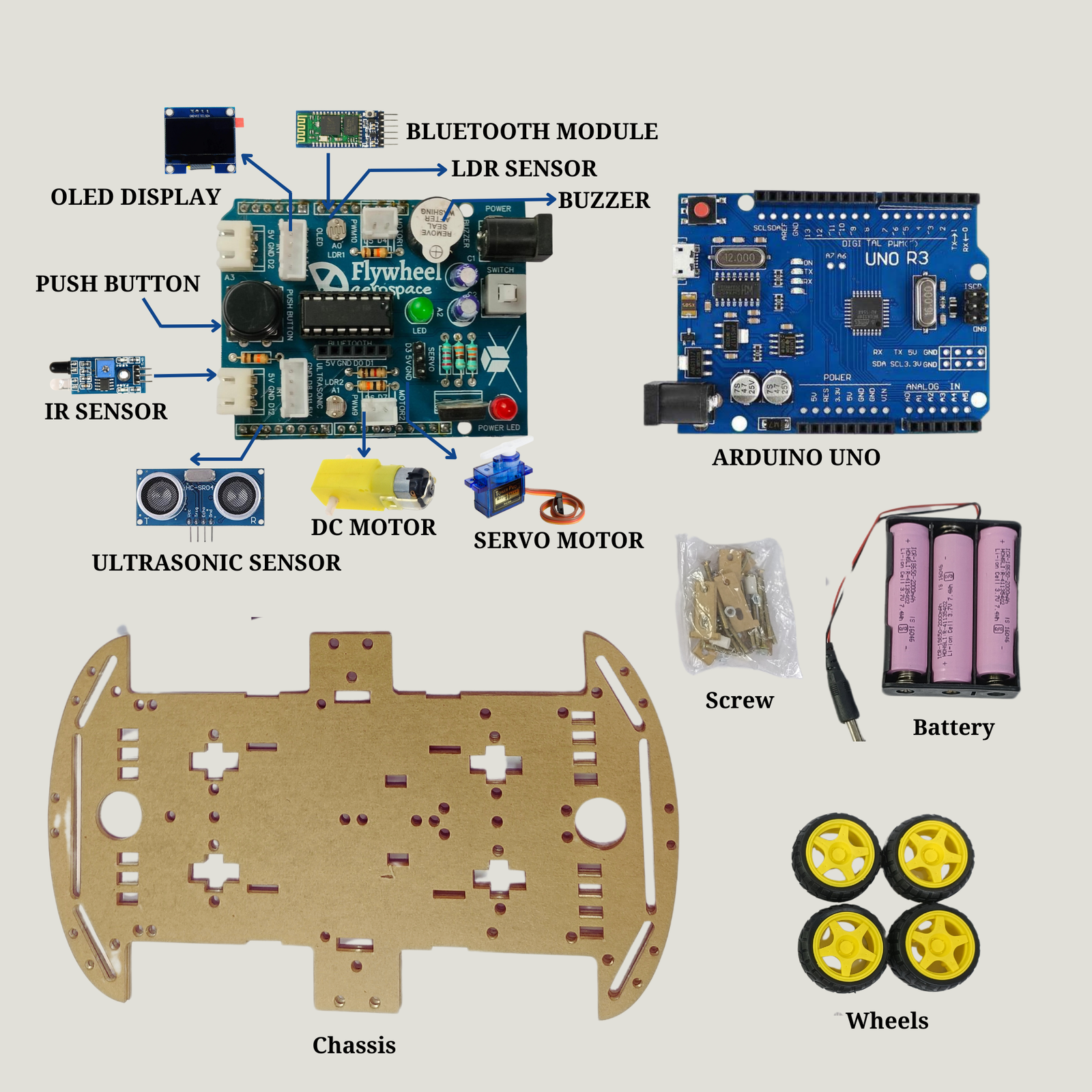
Arduino UNO * 1
Arduino Shield * 1
Light Sensor (LDR) * 2
Push Button * 1
LED * 1
Buzzer * 1
Bluetooth Module * 1
OLED Display * 1
IR Sensor * 2
Ultrasonic Sensor * 1
DC Geared Motor * 4
Motor Driver L293D * 1
Servo Motor * 1
Acrylic Chassis * 1
Nuts and Bolts
Wheels * 4
Battery 18650 (chargeable) *3
Battery Holder * 1
Cables
Kit User Manual (Digital)
Breadboard *1
Jumper Wires * 10
Battery Charger *1
Digital Multimeter *1
Wire Cutter *1
Screw Driver *1
Double Sided Tape *1
₹7,999.00
One-time payment. Lifetime access.
Topics Covered:
Project:
Topics Covered:
Projects:
Topics Covered:
Projects:
Topics Covered:
Project:
Topics Covered:
Projects:
Project:
This course is ideal for aspiring roboticists looking to gain practical skills with Arduino and hands-on robotics! 🚀
| S.No | Activity Name | Short Description |
| Basic Activity | ||
| 1 | LED BLINKING | LED ON-OFF with a delay |
| 2 | DOOR BELL | Using push button to turn on the buzzer |
| 3 | LED GLOW WITH PUSH BUTTON | Control LED with switch in different modes |
| 4 | DISCO LIGHT | Glow multiple color of RGB LED |
| 5 | LED BRIGHTNESS CONTROL | LED brightness control using potentiometer |
| 6 | VOLUME CONTROL | Buzzer volume control using potentiometer |
| 7 | DISPLAY YOUR NAME | Display the name in OLED display |
| 8 | VOLTAGE & VALUE DEFLECTION | Measure the analog pin voltage and value using potentiometer |
| 9 | CONTROL SERVO ANGLE | Control servo angle with potentiometer |
| 10 | TRAFFIC LIGHT | Glow red, green and yellow in every 10 second using RGB LED |
| 11 | BURGLAR ALARM | Using IR sensor and buzzer to detect the presence of burglar |
| Intermediate Level Activity | ||
| 11 | BLACK AND WHITE DETECTOR | IR sensor and servo motor to segregate white & black color |
| 12 | AUTOMATED STREET LIGHT | In darkness LED will turn ON and in day light led will turn OFF |
| 13 | INDICATE & DISPLAY DAY-NIGHT | Using LDR sensor to indiate day with green and night with red display in OLED display |
| 14 | DISTANCE MEASUREMENT | Using ultrasonic sensor to calculate the distance and display in OLED display |
| 15 | CAR PARKING | Detect distance and beep the buzzer if distance less than 50 cm |
| 16 | AUTOMATIC DOOR | Using IR sensor to detect any object infront of door and the door will be open through the servo motor and after 10 second door is closed automatically |
| 17 | NOTICE BOARD | Scrolling string data in OLED display |
| 18 | COUNT OBJECT | If any object is detect infront of ir sensor count, blink led, beep buzzer and display on OLED |
| 19 | FACIAL EXPRESSION GENERATION | Display facial expression on OLED display |
| 20 | RADAR system | Ultrasonic sensor detecting the object and it distance in 180 degree using servo motor |
| 21 | AUTOMATIC SOLAR PANEL | Detecting the direction of sun using LDR sensor and revolving the solar panel using servo motor |
| 22 | LINE FOLLOWER ROBOT | Using IR sensors to detect the line and use L293D to control the direction of robot |
| 23 | OBJECT FOLLOWER ROBOT | Using IR sensors to detect the object and use L293D to control the direction of robot to follow that object |
| 24 | OBSTACLE AVOIDANCE ROBOT | Using IR sensors to detect the object and use L293D to control the direction of robot to avoid that object |
| 25 | CLIFF AVOIDANCE ROBOT | Using IR sensors to detect the cliff and use L293D to control the direction of robot to avoid the cliff |
| Advance Level & Application Base Activity | ||
| 26 | POWER SAVER | Using LDR sensor when light is ON the led is glow and light off LED not glow |
| 27 | EYE PROTECTION | Using ultrasonic sensor when object detect less the 35cm then the buzzer start beeping |
| 28 | BLIND STICK | Detecting the obstacle using ultrasonic sensor and alarming using the buzzer |
| 29 | BUS SAFETY SYSTEM | Close the door once robot starts moving to avoid any accidents |
| 30 | ACCIDENT ALERT SYSTEM | Detect the accident and generate a sound using buzzer |
| 31 | SMART DUSTBIN | Detect the intention to open the dustbin using ultrasonic sensor and servo motor to open the bin |
| 32 | PET FEEDER | Set a timer and turn on the feeded using servo motor to feed your pet |
| 33 | AUTOMATIC RAILWAY CROSSING | Close the crossing using servo motor when a train is passing |
| 34 | SNAKE GAME | Push button and OLED display using arduino |
| 35 | VOLUME CONTROL BAR | Using the potentiometre to control the volume of the buzzer and OLED to display the volume bar to see percentage 0 to 100. |
| 36 | JUMPING JACK GAME | Push button and OLED display using arduino |
| 37 | BLUETOOTH CONTROLLED ROBOT | Use HC05 bluetooth module to wireless control of the robot using mobile App |
| 38 | VOICE CONTROLLED ROBOT | Use HC05 bluetooth module to wireless control of the robot using voice through mobile App |
| 39 | AUTONOMOUS ROBOT | Using ultrasonic sensor and servo motor to drive the robot autonomously |
| 40 | MAZE SOLVING ROBOT | Using ultrasonic sensor, IR sensors and servo motor to solve the maze autonomously |
Explore more courses in your learning path.

Reviews
There are no reviews yet.